Zin Feed Zin Feed
Zin Feed App Icon

ZinFeed

RSS Reading, Book-Ready Output

Pull full text from every feed, save articles with a swipe, and export polished EPUB/PDF collections for any reader.

Download on the App Store
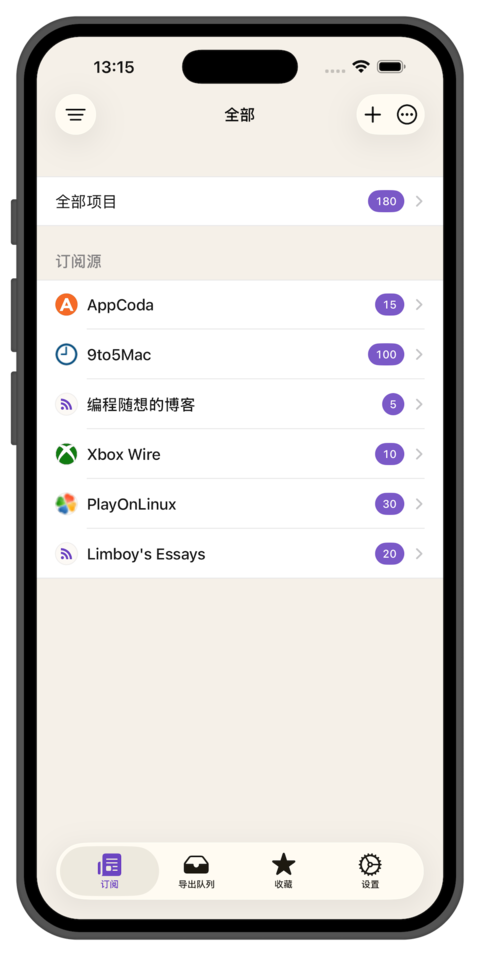
Zin Feed app screenshot displaying RSS to EPUB conversion interface with magazine-style packaging and Kindle integration features

Powerful Toolkit

Manage feeds, curate articles, and publish polished EPUB/PDF collections with workflows built for focused reading.

Full-Text Feed Control

Enable per-feed full text fetching so truncated summaries become complete, readable articles.

Reading List Swipe

Swipe left on an article to save it for later—organize, export, or revisit whenever you want.

Export Queue

Queue multiple feeds or articles, then export EPUB/PDF collections in one streamlined flow.

All Articles Timeline

Browse everything you follow in one chronological view to catch up faster.

Auto Mark-As-Read

Let Zin Feed mark stories as read while you scroll, keeping your queue always accurate.

Magazine-Style Export

Produce polished EPUB and PDF files tailored for Kindle, tablets, or archival reading.

Per-Feed Preferences

Customize export cadence, grouping, and language for each subscription individually.

Clean Reading Mode

Enjoy a focused reader with typography tuned for long-form articles and offline sessions.

Kindle Ready

Layouts tuned for Kindle and e-ink readers with crisp typography after transfer.

Privacy First

No accounts, no analytics—your reading history stays local on your devices.

```

Frequently Asked Questions

What is Zin Feed?

Zin Feed is an iOS reader that turns your RSS subscriptions into curated EPUB and PDF collections. It combines flexible feed management, a clean reading experience, and export tools to help you build long-form magazines from the sites you follow.

What's new in v1.3?

The v1.3 release focuses on smarter reading flow and export control:
  • Per-feed full text fetching so summary-only sources become complete articles
  • Auto mark-as-read while you scroll through stories
  • Swipe left to save items into a new Reading List
  • Rebuilt export queue for bundling multiple feeds or articles at once
  • All Articles timeline for a unified, chronological view

How does auto mark-as-read work?

When the feature is enabled, Zin Feed detects your scroll position and marks articles as read once you reach the end. You can toggle it in Settings and still manually mark items if you prefer finer control.

How do I use the Reading List?

Swipe left on any article to add it to the Reading List. From there you can batch export saved posts, revisit them later, or clear items once they are processed. It is perfect for longer reads you want to handle together.

Does it work with Kindle?

Yes. EPUB exports are tuned for Kindle and other e-ink readers. After generating a book you can transfer it with Amazon's Send to Kindle service or the Kindle app. Fonts, pagination, and metadata are optimized so the layout stays crisp once imported.

How do I fetch full text from summary feeds?

Open the feed settings and enable Full Text Fetching. Zin Feed will request the original webpage, clean the article body, and cache it for offline reading and export.

Can the export queue mix different feeds?

Absolutely. Add any article or feed export to the queue, reorder items, then generate a single EPUB or PDF. The queue keeps track of progress and finished books so you can re-export with updated content later.

Is my data private?

Yes. Zin Feed works entirely on-device, does not require an account, and collects no analytics. Your subscriptions, reading history, and exports stay local to your devices.