

Intelligently Extract Web Content
to Beautiful Markdown
DownMark supports Safari and Chrome browsers, instantly converting web pages to Markdown format. With image download support and East Asian text annotation features, it's perfect for researchers, writers, and developers who need to save web content as markdown files for knowledge management, note-taking, and offline reading.


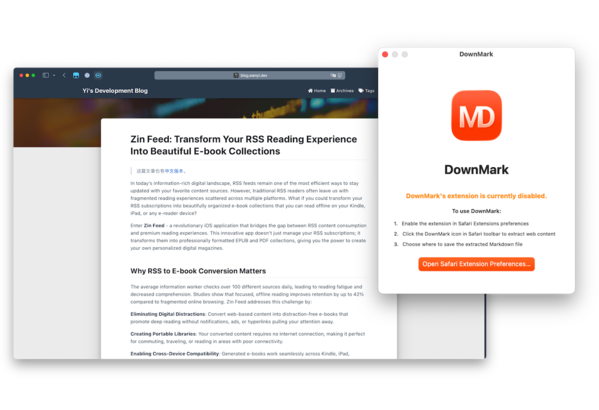
DownMark Safari Extension Demo - Convert Web Pages to Markdown
Watch how DownMark Safari extension instantly converts web content to beautiful Markdown files with just one click. See intelligent content extraction, format preservation, and smart file naming in action for this powerful web-to-markdown tool.
Duration: 1 minute 13 seconds | Language: English | Platform: macOS Safari
Features
DownMark is the ultimate tool for converting web pages to clean Markdown. Save articles, research, and documentation for your knowledge base.
Smart Extraction
Intelligently identifies main content while filtering out ads and distractions.
Clean Markdown
Precision HTML-to-Markdown conversion preserving structure, links, and code.
Dual Browser Support
Native extensions for both Safari and Chrome on macOS.
Image Localization
Download and save all web images directly to your local folders.
Ruby Tag Support
Full support for East Asian text annotations and Japanese furigana.
Reliable Links
Internal anchor links are accurately preserved for seamless navigation.
Smart File Naming
Auto-generates meaningful filenames based on website metadata.
Native macOS UX
Deeply integrated with macOS for a premium and familiar experience.
DownMark Browser Extension - Frequently Asked Questions
Everything about using DownMark Safari and Chrome extension for web to markdown conversion, knowledge management, and content extraction
Which websites can DownMark convert to Markdown?
How is the quality of extracted Markdown files?
Do I need to login or register an account?
I installed DownMark, but I can't find some settings. Where are they?
If you're looking for settings such as:
• Save location
• Download images
• Wrap Markdown and images into an enclosed folder
please open the DownMark Mac application and click Preferences.
Settings related to:
• HTML → Markdown conversion
• Compatibility options
• Content extraction behavior
are available in the browser extension settings.
Why are they separated?
DownMark actually consists of two parts:
• The browser extension extracts webpage content and converts it into Markdown
• The Mac app saves and manages the generated Markdown files
Because Safari extensions, Chrome extensions, and macOS apps each store settings separately (and Chrome cannot access app preferences), these settings currently live in different places.
We know this isn't immediately obvious, and we'll continue improving the wording inside the app and documentation to make this easier to discover.