

Yist
Manage Your Gists
with Elegance
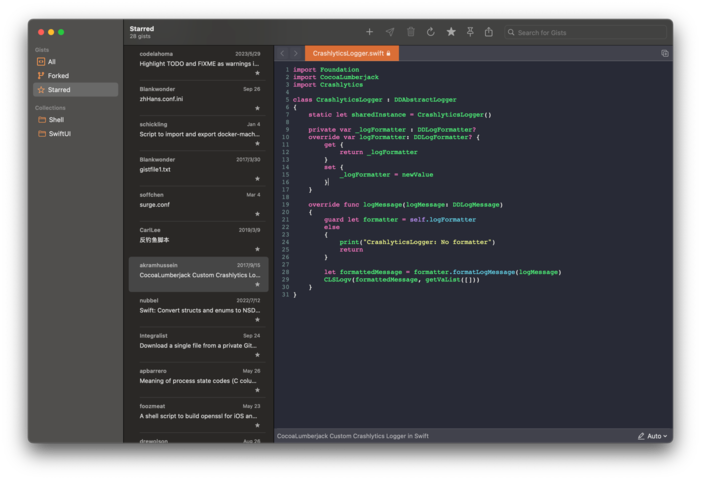
Yist brings your GitHub Gists to life with seamless syncing, intuitive editing, and powerful organization.

Powerful Features
Sync Everywhere
Keep your Gists in sync across all your devices effortlessly.
Create & Edit
Easily create new Gists or edit existing ones with syntax highlighting.
Organize with Collections
Group related Gists into collections for better organization.
Private & Secure
Create secret Gists and manage your privacy settings with ease.
Frequently Asked Questions
What is Yist?
Yist is an efficiency software for GitHub's gist service. It allows you to sync gists locally, create new ones, edit, save, and synchronize them with the remote server.
What types of files does Yist support?
Yist primarily supports text files. Due to GitHub API limitations, Yist does not support uploading binary files.
How do I get started with Yist?
To get started with Yist, follow these steps: 1. Sign up for a GitHub account if you don't have one. 2. Generate a Personal Access Token (PAT) on GitHub. 3. Use your PAT to log in to Yist.
How do I create a new gist in Yist?
You can create a new gist using the menu (⌘+N) or toolbar button. You can manually input file content, copy code from other programs and paste it, or even drag and drop files directly from Finder into the Yist window.
What are 'Collections' in Yist?
Collections are a Yist-specific concept used to categorize and group gists with similar themes. Currently, collections can only be created locally and are not saved to the GitHub gist service.
How do I manage private gists in Yist?
When creating a gist, you can toggle whether it's secret (private) using the lock icon button in the top right corner. You can also set whether new gists are secret by default in the settings.