
Getting Started with Yist
Learn how to set up your GitHub account and obtain the Personal Access Token
1. Creating a GitHub Account
1
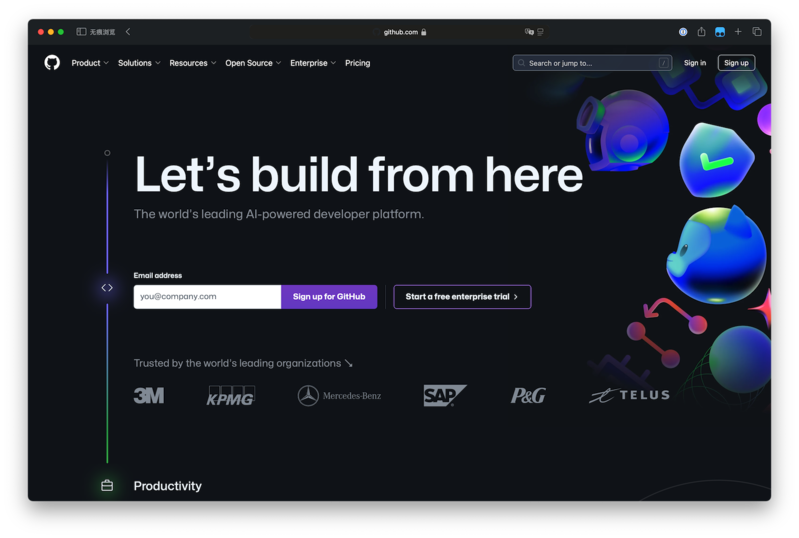
Visit GitHub's website
Open your web browser and go to github.com.
2
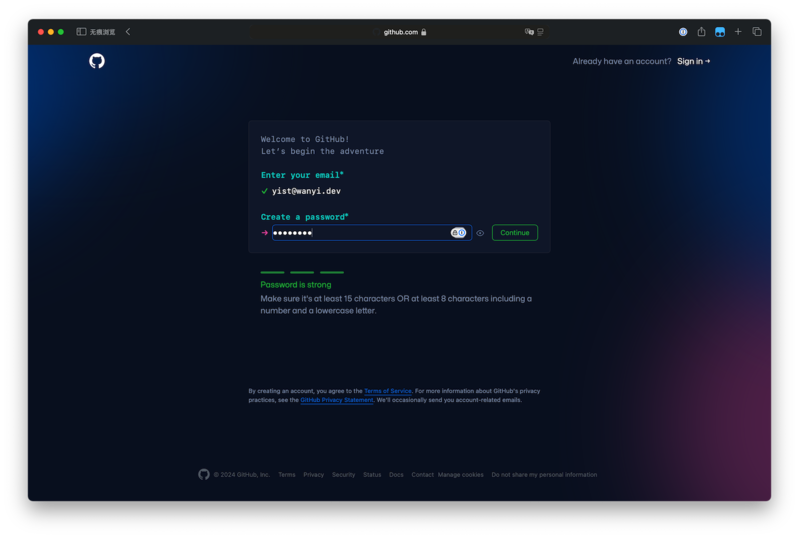
Sign up for a new account
Click on the 'Sign up' button and fill in your details.
3
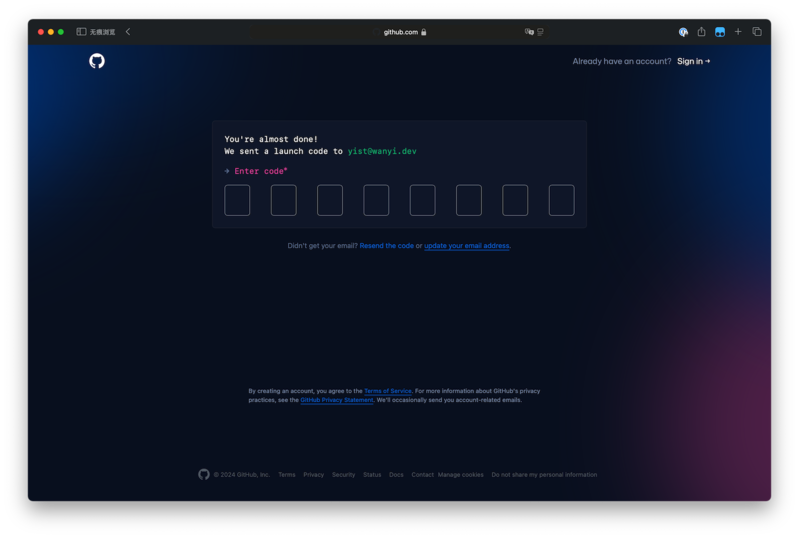
Verify your email
Follow the instructions in GitHub's email to confirm your account.
2. Obtaining a Personal Access Token (PAT)
1
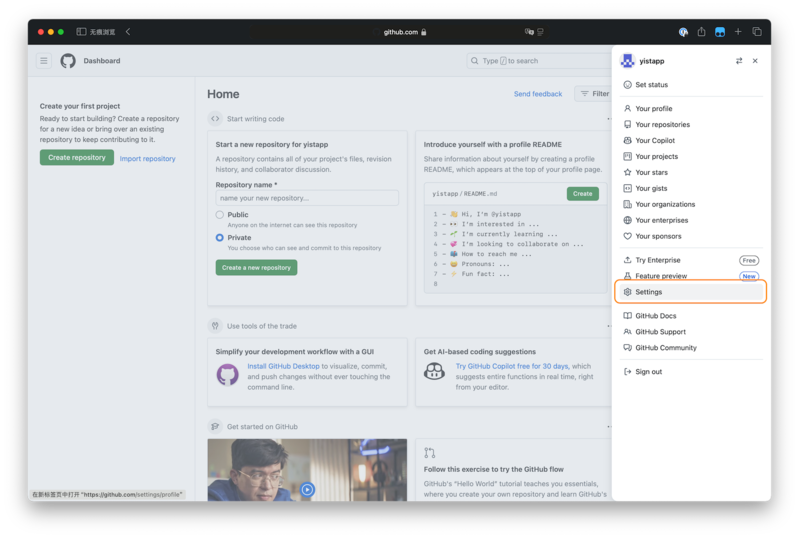
Access GitHub Settings
Click your profile picture and select 'Settings' from the dropdown menu.
2
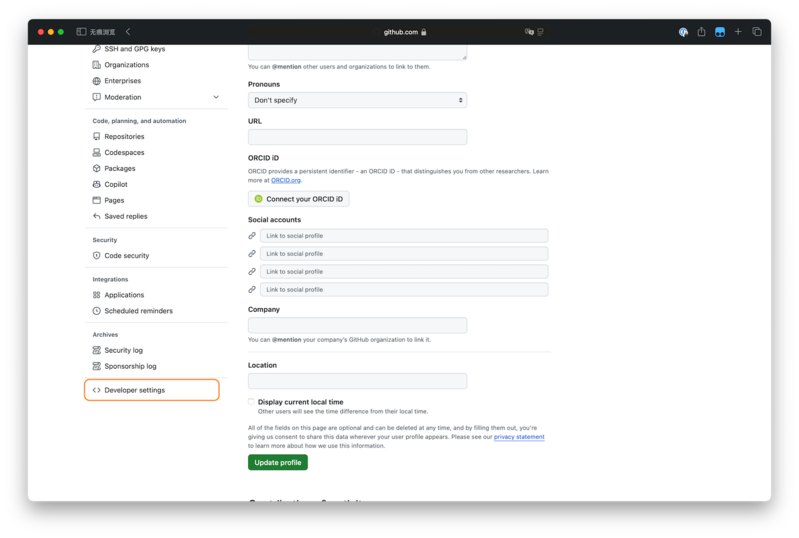
Navigate to Developer Settings
Scroll to the bottom of the left sidebar and click 'Developer settings'.
3
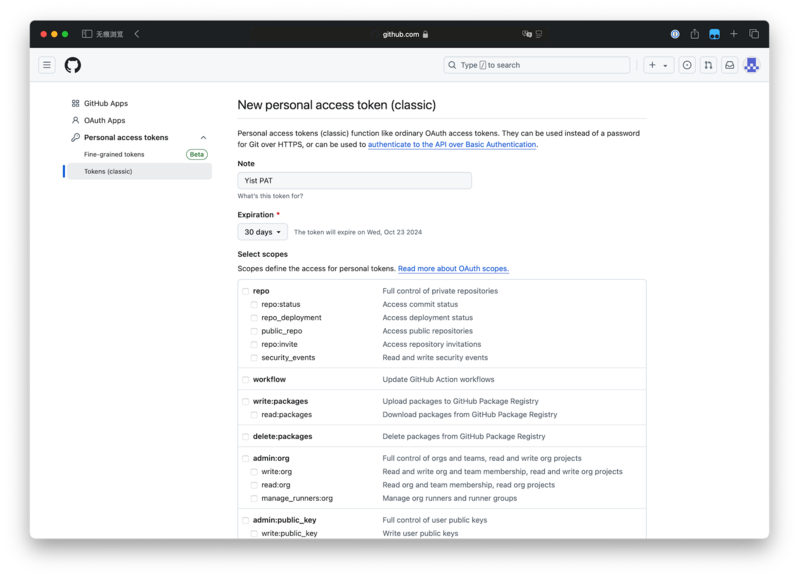
Create a new Token
Go to 'Personal access tokens' -> 'Tokens (classic)'. Select 'Generate new token (classic)'.
4
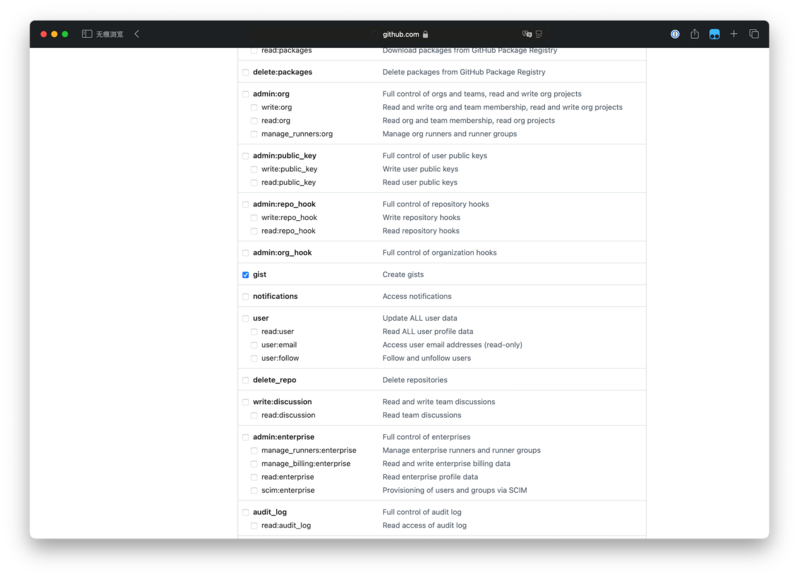
Configure permissions
Give it a name and make sure to check the 'gist' checkbox.
5
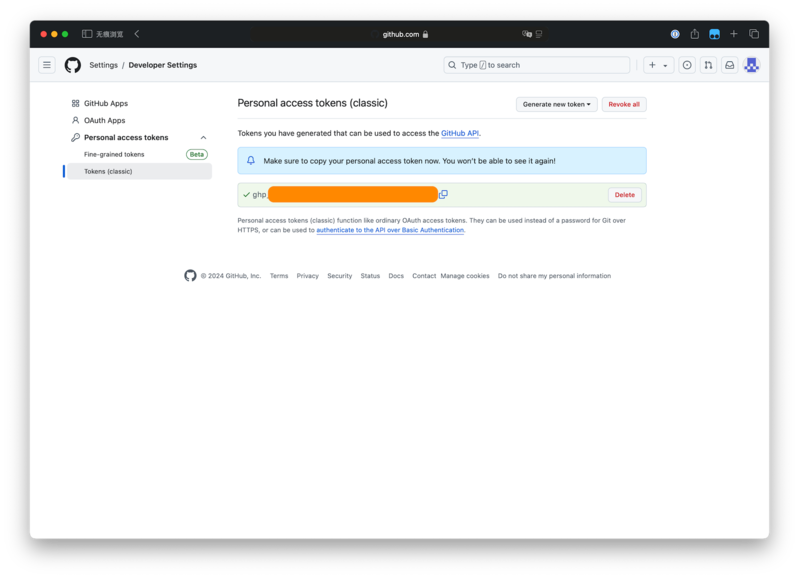
Generate and copy
Click 'Generate token' and copy it immediately - you won't see it again!
Next Steps
Now that you have your GitHub account and Personal Access Token, you're ready to start using Yist!
Download Yist and get started